deesign.cc Join the beta

Drag to look around. Click a page to open it.

100%

Describe a page.
Get one you’d ship.

Write it in plain words. We build it, check it on a laptop and a phone, and fix what’s off before you see it.

Try a real brief

Checks

Checked before you see it.

A real browser opens every page and runs the same checks, every time. Anything that fails gets fixed first, so the page you get is one you can send.

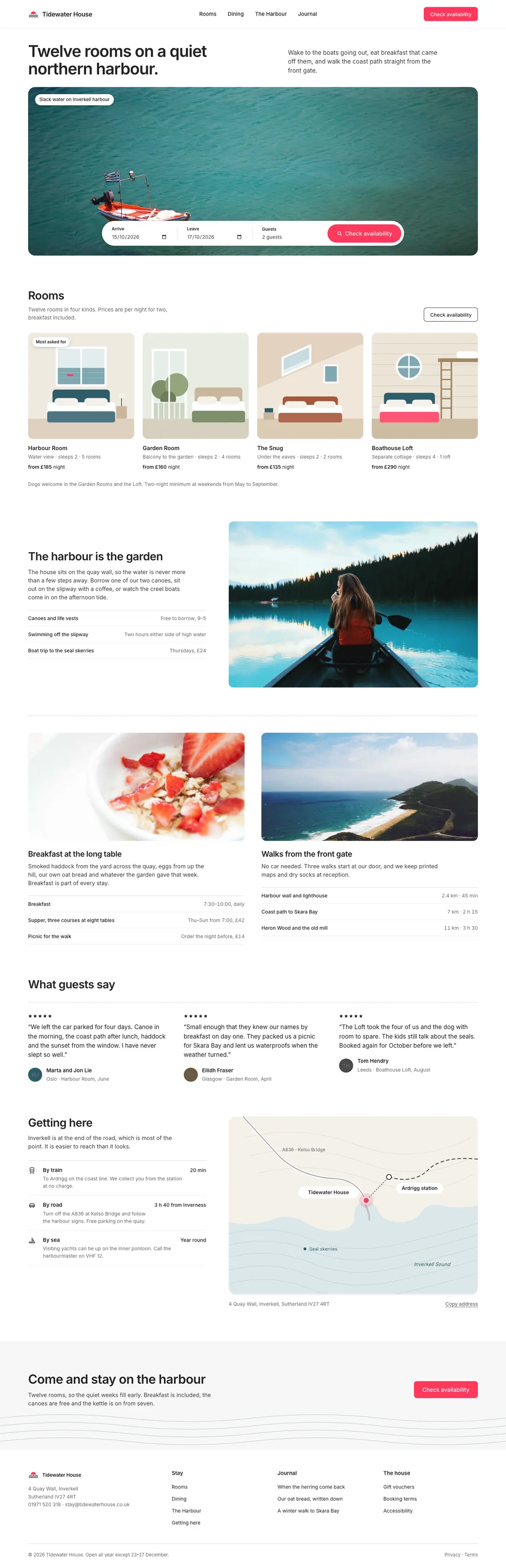
The Tidewater House landing page, read from top to bottom.
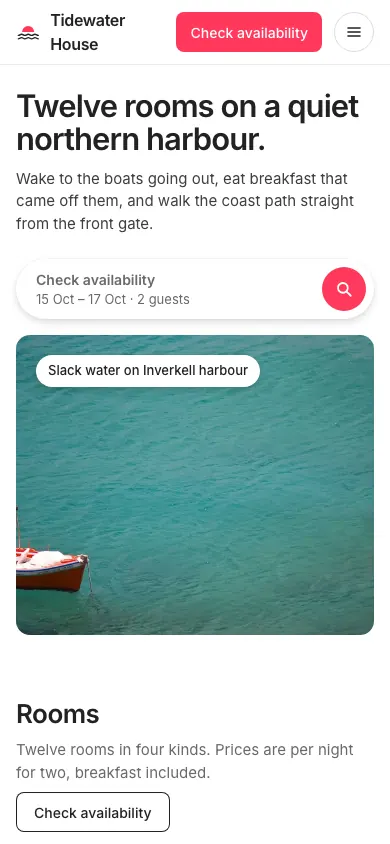
The same page on a phone.

Three widths

Opened at 1440, 1280 and 390 wide in a real browser.

Nothing cut off

No clipped text, and nothing spills sideways on a phone.

Every photo loads

A broken or missing image holds the page back until it’s fixed.

Every control has a name

Buttons and fields can be read out by a screen reader.

Questions

It asks before it builds.

A few quick calls, each with a pick already made. Skip them and it goes with its own.

  • Only what your brief leaves open
  • Drop in a screenshot to follow its layout
  • Choose how many layouts to sketch

The whole briefWorkspace settings for a design team

The real form from this brief. Nobody answered, so it made the calls.

Flows

Whole flows, linked screen to screen.

Ask for a checkout, a sign-up or an onboarding and get every screen, linked.

  • Two to six screens that click through
  • The moments people hit, like a declined card
  • Every screen checked on a laptop and a phone

The whole brief, in the Wise-inspired lookA checkout for a coffee subscription

The real page deesign built, running live. Its own buttons work too.

Sketches

Start with a sketch.
Make it real.

Get the layout right first, then turn the sketch into the finished page, with the layout kept.

  • A sketch of the screen, before anything is styled
  • Notes on why each part is there
  • Make it real in any look, one click

From the briefThe pricing page for Tidewater, an app with tide times, wind and weather for small-boat sailors.

Drag across, or hover. Both are real outputs: the sketch, and the page made from it.

Slides

Decks that read from the back row.

Ask for a talk, a review or a launch and get a deck you can present.

  • Three to thirty slides, one idea each
  • Speaker notes on every slide
  • Present full screen, or export a PDF

From the briefA 6-slide product launch deck for Ledger 2, a month-end close tool for mid-size finance teams, presented by the Head of Product at the company all-hands.

    Looks

    Pick a look, or name one in your brief.

    Twenty looks, each a real page built from the same brief. A look sets the colours, type and corners, and fits any kind of screen.

    After it’s built

    Keep going in plain words.

    Change it

    Ask for a calmer header and you get a calmer header. The rest stays as it was, and every change is saved as a new version.

    Make the header calmer and move the prices up. Version 2 saved. Version 1 is still there.

    Choose the care

    Pick how much effort a page gets. More effort means more care and a bigger budget for that page.

    Share it

    Every finished page gets a link anyone can open, with no sign-in. It shows the page as it was when you shared it.

    Your next page starts here.

    deesign is in a small private beta. Tell us the page you want and leave your email, and we’ll send you a code with $5 of credit to build it.

    The brief